
01
How to save
- Open a link, image, video, post, or file in another app.
- Tap the iOS Share button and choose Backmark. If it is hidden, tap More and add Backmark to Favorites.
- Choose Library, or pick one of your Boards, then tap Save. Memories saved to a Board also appear in your Library.
- Return to Backmark and find the new Memory in your Library.
-
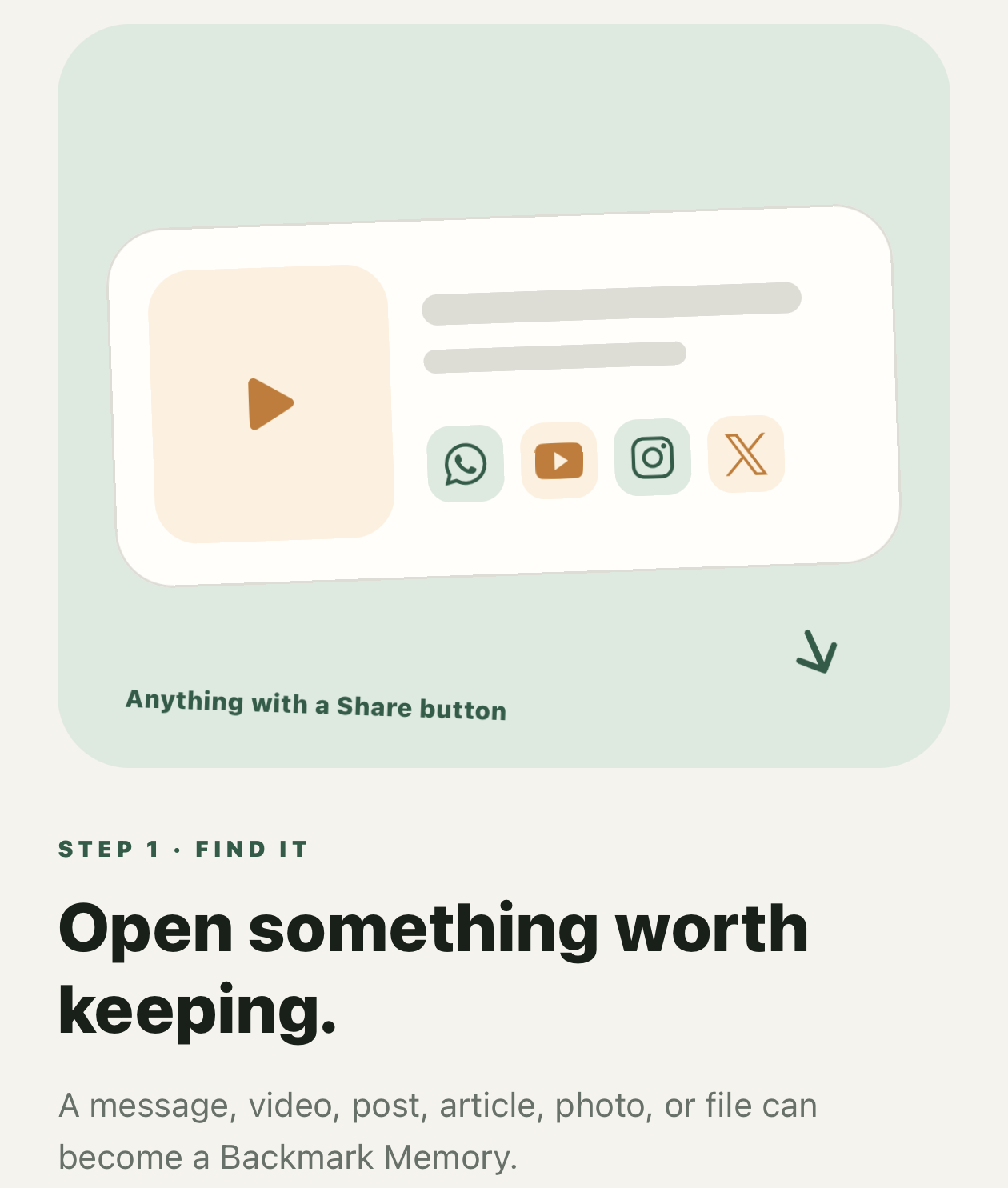
Step 1 Open something worth keeping. -
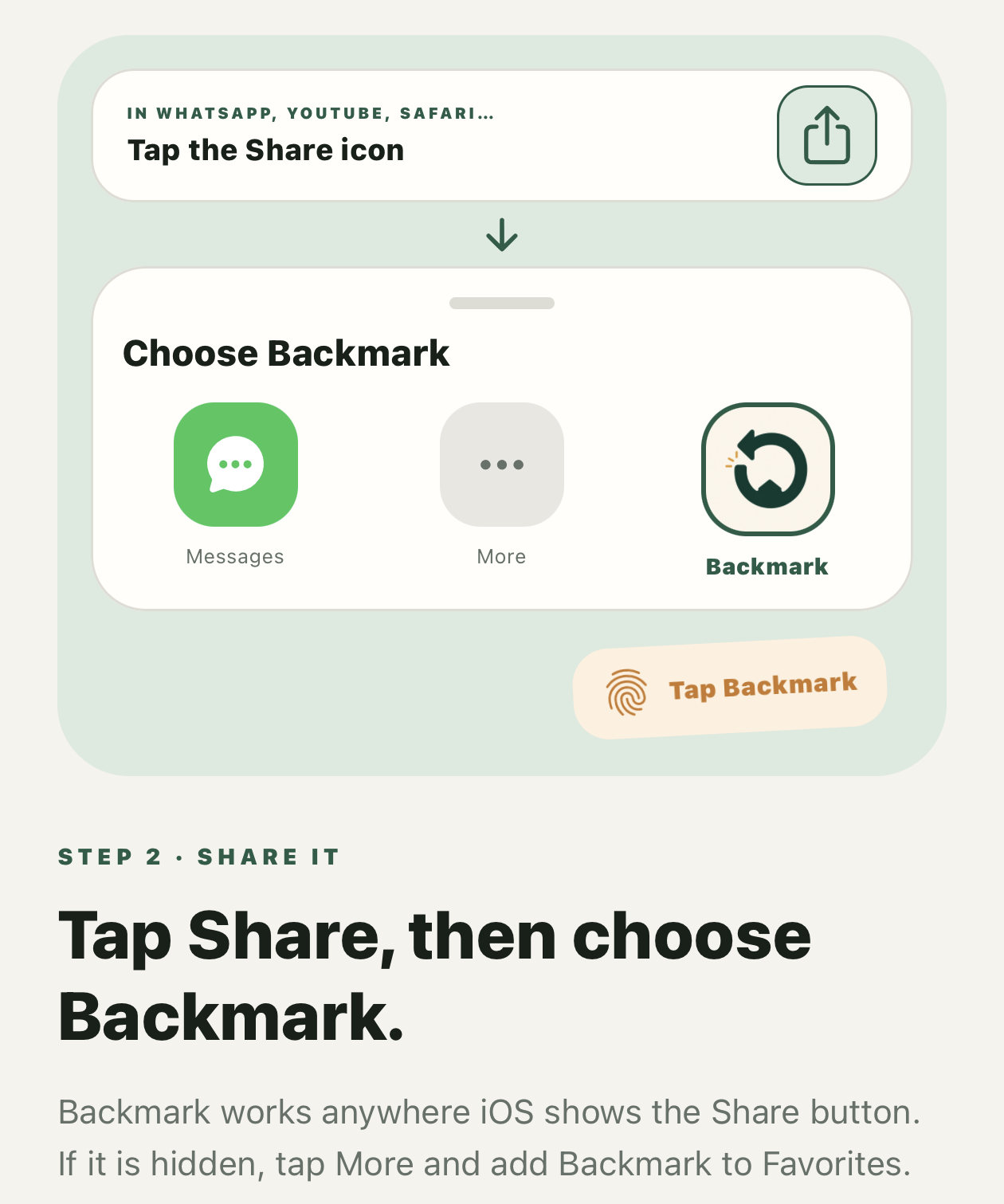
Step 2 Tap Share, then choose Backmark. -
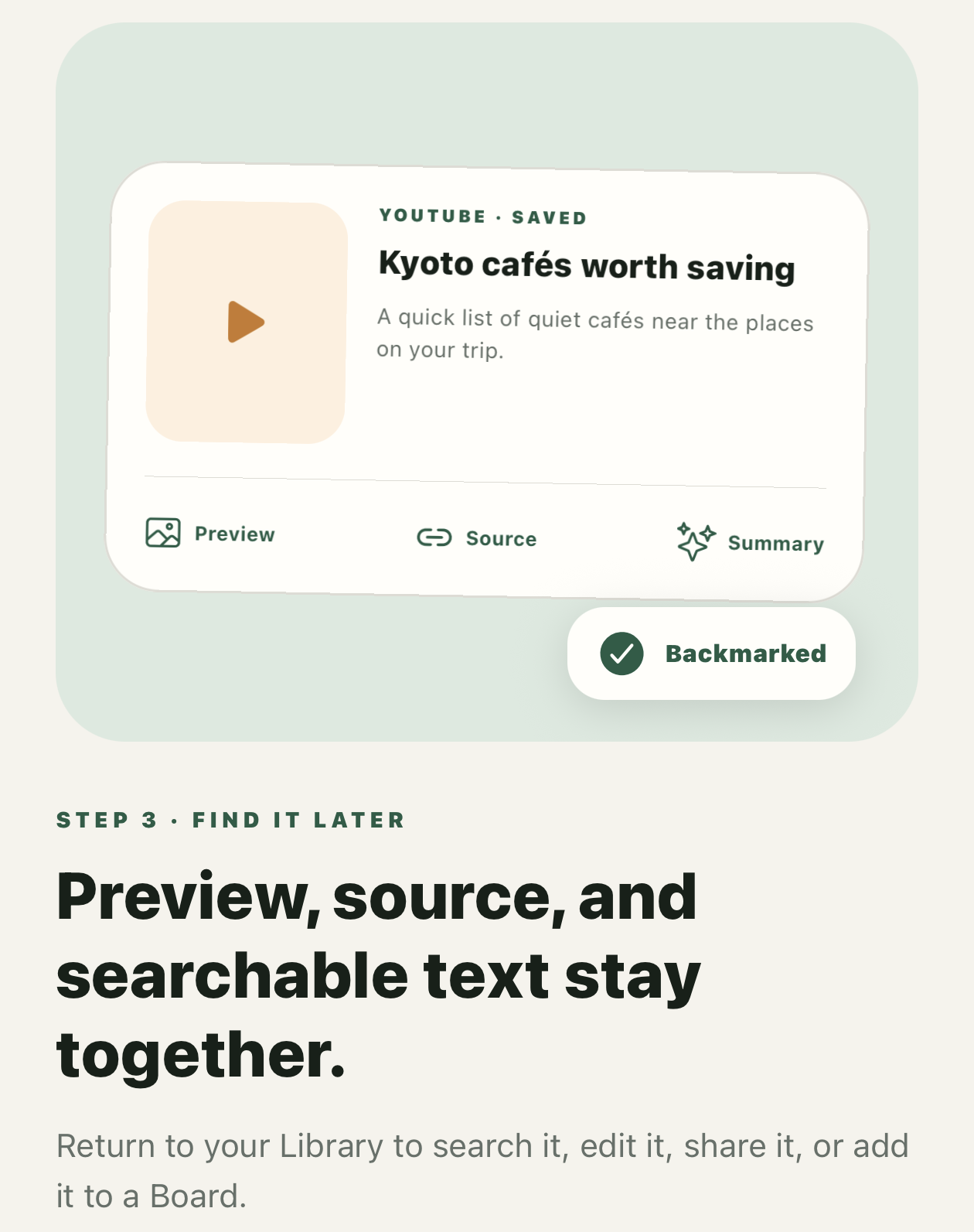
Step 3 Find the saved Memory in your Library.
02
Saving a screenshot with Back Tap

APPLE SHORTCUTS
Start in the Shortcuts app
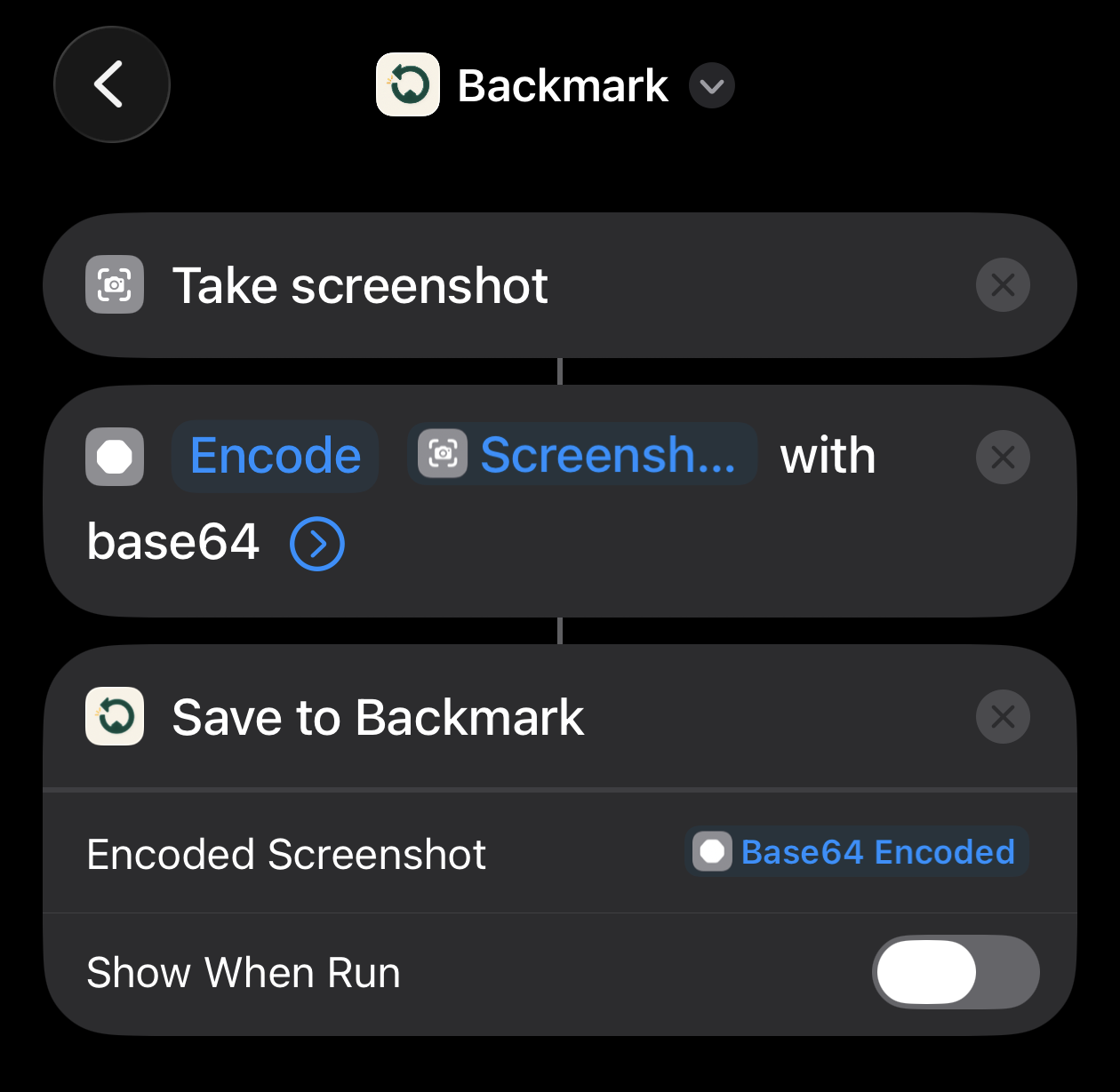
Open Apple’s Shortcuts app and build the “Remember Screen” shortcut shown below. If you cannot find the app, search your App Library for “Shortcuts.”
Then assign “Remember Screen” to Double Tap or Triple Tap in iPhone Settings. When it runs, Backmark stores the screenshot as the Memory preview and recognizes visible text on the device so it can be searched.
See Apple’s Back Tap instructions →
03
Ask this Board and Board covers
On compatible iPhones with Apple Intelligence turned on, open a Board and choose “Ask this Board” to get answers that use only the Memories in that Board, with numbered sources you can open. If the Board doesn’t contain the answer, Backmark says so instead of guessing. Choose “Create cover” to pick a scene and style, edit the description, and continue to Apple’s Image Playground. You can turn these features on or off in Profile under On-device AI. Saving, text recognition, and search work on every supported iPhone, with or without Apple Intelligence.
04
A source will not preview
Some websites prevent embedded previews. Your source link remains available, and you can open it in the original website or app.
05
Searchable screenshot text
Backmark uses Apple’s on-device text recognition for saved screenshots and images. Recognition can vary with image quality, text size, language, and contrast.
06
Exporting and deleting data
Choose “Export all local data” in Profile to create a file with your Memories, Boards, and original links, then send or save it with the iOS share sheet. Delete one Memory from its detail screen, select several with “Select” in the Library, or choose “Delete all local data” in Profile. Deleting a Board does not delete its Memories.
07
Purchase and re-download
Backmark is a one-time App Store purchase with no subscription. To install it again on another compatible device, use the same Apple Account and download it from your App Store purchase history.